
The official elang138 app brings the entire gaming platform straight to your phone. Slots, live sports, betting, bingo, and more — all in one lightweight, fast, and secure app built specifically for Malaysian users.
The elang138 app is available for both major mobile operating systems. The installation process is simple, fast, and requires no App Store or Google Play account.
For Android 8.0 and above. Download the APK file directly, install in seconds, and log in with your existing account.
For iOS 13.0 and above. Install directly through your Safari browser — no App Store required. Simple and secure process.
Prefer not to install an app? Access elang138 directly through your browser on desktop or mobile. Full support for all platform features.
In today's increasingly competitive online gaming landscape, your choice of platform is not a decision to be taken lightly. Many Malaysian players who have tried various platforms keep coming back to elang138 — not just for the wide game selection, but for the consistently reliable overall experience from start to finish.
The elang138 app is built on a fundamentally different approach from most online gambling apps on the market. Most other apps simply take an existing website and "wrap" it into a mobile app format with no meaningful optimisation — the result is a heavy, sluggish app that feels uncomfortable on a small screen. elang138 took a different path: the app was rebuilt from the ground up specifically for mobile, with a touch-optimised interface, properly sized buttons, and intuitive navigation that's easy even for first-time users.
The second factor that sets elang138 apart is connection stability during live gameplay. Nothing is more frustrating in live sports betting than an app that freezes or disconnects at a critical moment in the match. The elang138 technical team invests heavily in server infrastructure and code optimisation so the app maintains a stable connection even on 3G networks or inconsistent WiFi — a very common scenario for users in rural Malaysia.
On the security front, the elang138 app uses the same 256-bit SSL encryption employed by major mobile banking apps in Malaysia. Every login session, every deposit and withdrawal transaction, and all your personal data are fully protected. Two-factor authentication (2FA) is also available for players who want an extra layer of security on their account.
Another aspect frequently praised by loyal elang138 users is the smart notification feature built into the app. You can choose to receive targeted notifications for your favourite matches — for example, alerts when the betting odds for a Malaysia Super League match change sharply, or when your favourite slot has a high jackpot. These notifications can be fine-tuned to your personal preferences so you are not flooded with irrelevant messages.
For players who enjoy multiple game types in a single session, the elang138 app allows quick switching between categories without needing to log in again or wait through long loading times. From slot games to sports betting, from bingo to Live Casino — everything is accessible in under three taps. Your account balance is also updated in real time across all game categories, so you always know exactly what you have before placing your next bet.
Game load time is optimized to under 2 seconds even on a standard 4G network. No long waits — just play.
A sleek dark mode interface for late-night gaming — saves battery and is easy on your eyes.
Supports fingerprint and Face ID for faster, more secure login — no password typing required.
Enable data saver mode for more efficient usage on limited data plans — ideal for users in rural areas.

The elang138 app installation process is designed to be straightforward for anyone, even if you are unfamiliar with installing apps from outside official app stores. Follow this quick guide and you can start playing in under five minutes.
Go to Settings → Security → Unknown Sources and enable this option. This only needs to be done once. For Android 8 and above, this setting will be prompted automatically during installation.
Click the "Download Android APK" button above or scan the QR code using your phone's camera. The APK file is approximately 28MB and the download typically completes in under a minute on a standard 4G connection.
Once the download is complete, open the notification panel and tap on the newly downloaded APK file, or navigate to the "Downloads" folder in your device's file manager and tap on the elang138.apk file.
Tap "Install" when prompted. Installation takes approximately 10–15 seconds. Once complete, the elang138 app icon will appear on your home screen or app drawer.
Open the elang138 app, log in with your existing account credentials, or register a new account for free directly from the app. The registration process takes less than 3 minutes.
Make sure you use Safari — not Chrome or Firefox — as the "Add to Home Screen" feature is only available through Safari on iOS devices. This is the most important step for a successful installation.
Scan the iOS QR code using your Safari camera or manually type in the download link. The elang138 installation page will appear with a clear install button.
At the bottom of Safari, tap the "Share" icon (the box with an arrow pointing up). Scroll down the options list and select "Add to Home Screen". Name the shortcut "elang138" and tap "Add".
If your device prompts you to verify the app profile, go to Settings → General → Device Management → Enterprise App and tap "Trust". This step is only required the first time.
The elang138 icon now appears on your iPhone or iPad home screen. Tap to open, log in with your existing account or register a new one, and enjoy all your favourite games.
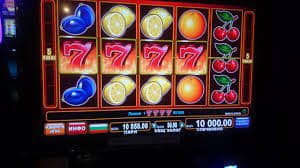
One of the most frequently asked questions from new elang138 users is whether they need to install the app or can simply play through their phone's browser. The answer depends on your playing style and personal preference — and elang138 fully supports both methods.
However, for players who play regularly — especially those who enjoy following live sports betting or slots over longer sessions — the elang138 mobile app offers several notable advantages that the standard web version simply cannot match.
| Feature | Elang138 App | Web Version |
|---|---|---|
| Game Load Time | Under 2 seconds | 2–5 seconds |
| Biometric Login | Fully supported | Not Available |
| Push Notifications | Yes, customizable | Limited |
| Data Saver Mode | Available | Not Available |
| Mobile Interface | Fully optimised | Basic responsive |
| Connection Stability | Very stable | Depends on browser |
| Access All Games | Full | Full |
| Deposit & Withdrawal | Available | Available |
| Automatic Updates | Yes, in the background | Not required (always up to date) |
As shown in the table above, the elang138 app excels in speed, ease of use, and additional features such as notifications and biometric login. However, the web version remains the best choice for players who game from a desktop or laptop, or those who prefer not to use phone storage space.
Most importantly, elang138 ensures that both platforms — whether the app or web — deliver a fair, secure, and consistent experience. Account balance, betting history, bonuses, and promotions are all synced in real time between both platforms. You can start a gaming session on the app on your phone and continue on the web on your computer with no interruption or data loss.
Elang138 also regularly adds new features to its app based on user feedback. The elang138 product development team actively reads user reviews and suggestions, and many popular features in the current app version — such as dark mode, customizable notifications, and a personal statistics dashboard — are a direct result of requests from the Malaysian player community. This reflects elang138's approach of consistently prioritizing the real needs of its users over simply following industry trends.

Join millions of Malaysian players already enjoying the convenience and excitement of playing through the elang138 app. Free, fast and secure — download today.